Progress Update: Refining Tiles Based on Studio Feedback
Tiles has gone through another round of updates. This time the changes were smaller and more targeted than past updates. These are less about adding new features, more about making the existing ones actually work the way people expect them to. Here’s what changed, and the feedback that sparked each one.
What’s New
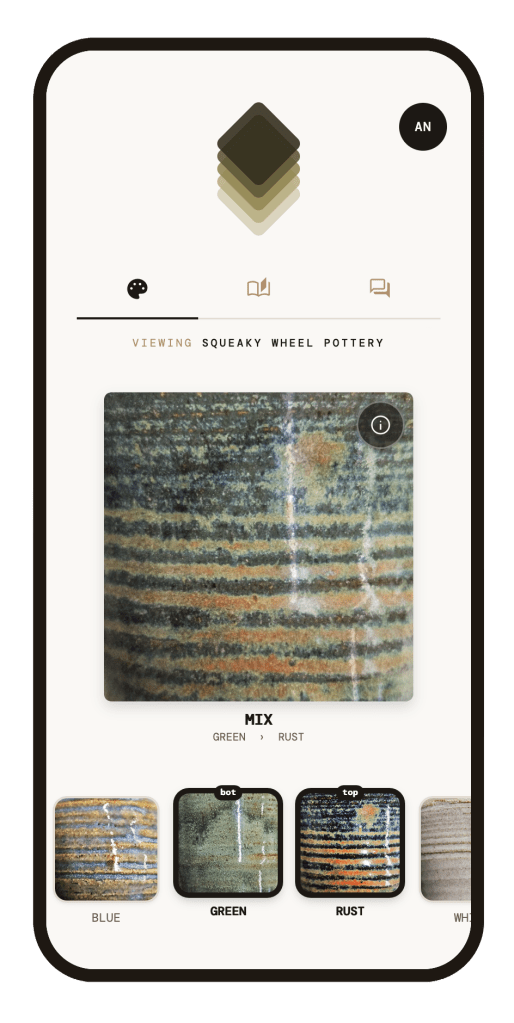
Glaze mixer now leads with the base layer.
When you’re mixing colors the base glaze is displayed first and the top layer is second. This reads more naturally left to right than it did before in the opposite configuration.
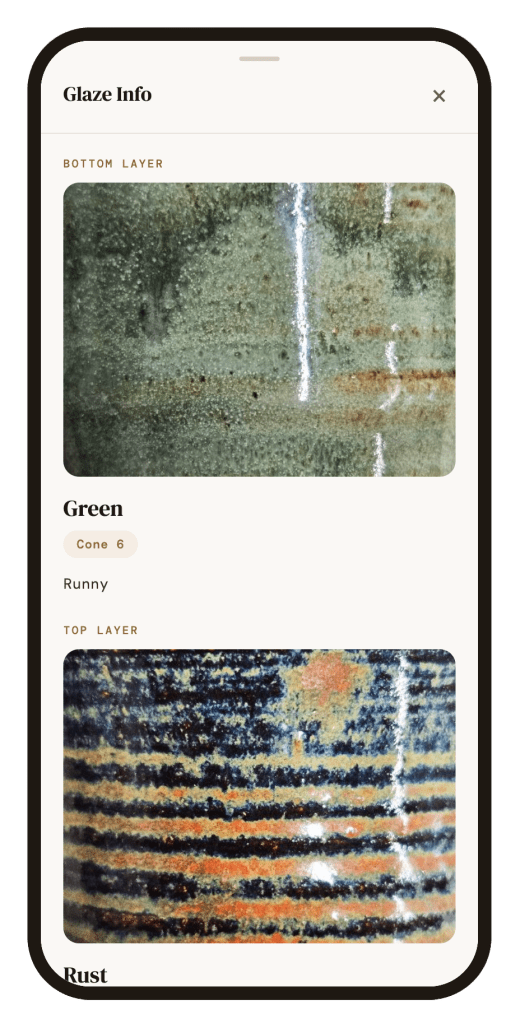
Glaze notes are now one click from the main glaze page.
The information on studio glazes (firing temperature and notes) was hidden within the studio manager function only for admins to see. Now there is an info button overlaid on the main tile displaying your selections. if you tap that info icon it will pull up a second page giving you the firing temperature and any notes taken by the studio on that specific glaze.
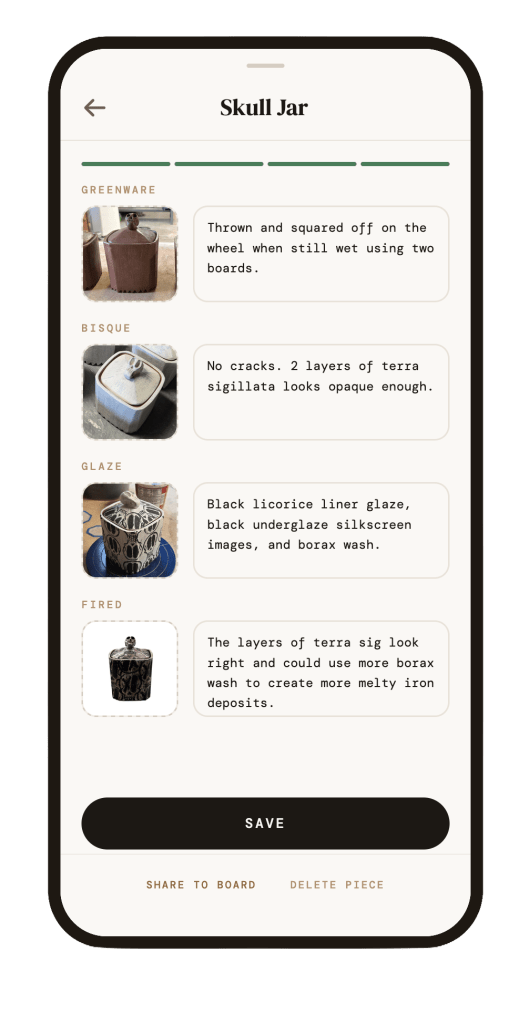
Saved pieces have a real save/finish button.
After adding photos and/or notes to a piece in the tracker, there’s now a clear button to actually finish and save the entry. No more wondering if your hard work was saved or not when closing the entry.
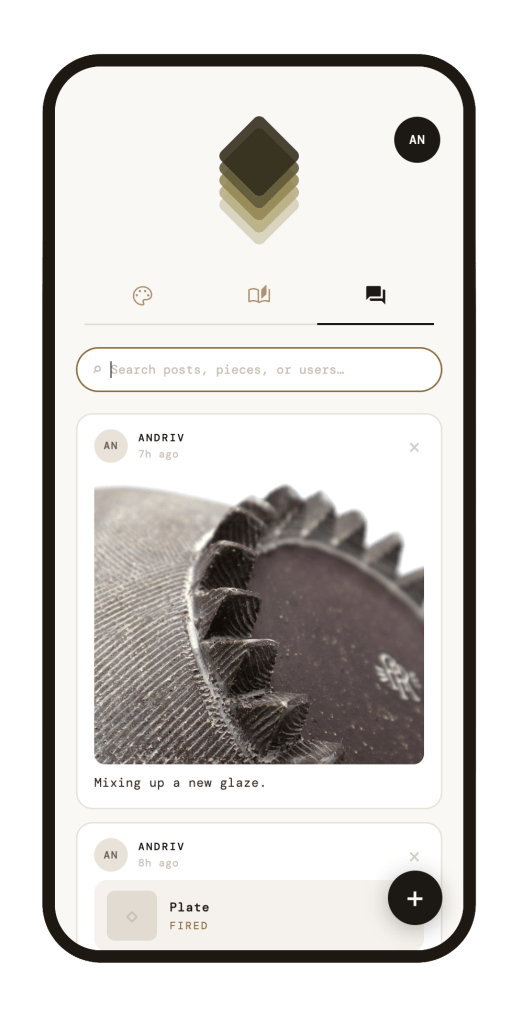
The pin icon is now a chat bubble.
The feature itself hasn’t changed and it still works like community board, but the icon was communicating it worked like a “save for later” pin, which is a different thing entirely in most apps. The new icon actually matches the function.
Community board now has search.
You can look for a specific post by searching for keywords or usernames instead of scrolling through everything to find it.
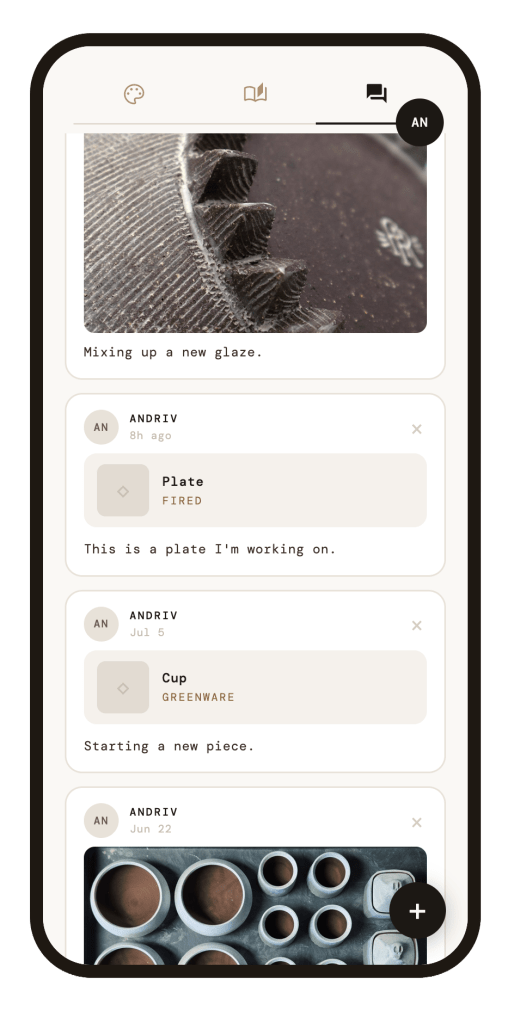
The header collapses as you scroll.
It used to take up a big chunk of the screen at all times, which was especially rough on smaller phones. Now it rolls away as you scroll down, freeing up room for content on the piece tracker and community board.
Where This Feedback Came From
All of this came out of a user testing session with Molly Rivera, who runs the Clay and Creative Center for Red Wing Arts and previously directed the Hutchinson Center for the Arts. She’s spent over a decade in the ceramics field and has run studio spaces herself, so she brought a perspective grounded in what actually makes shared studio tools frustrating or useful day to day. She walked through the app and reacted honestly. The list above is a direct result of that conversation.
What’s Still on the List
Not everything made it into this round. Molly also suggested a way to automatically sort or toggle glazes by firing temperature and atmosphere. A genuinely useful idea for planning kiln loads, but one I’m holding for a future update once I have more access to different firing methods.
What I’d Love Feedback On
What’s working for you in the app right now, and what still feels clunky or incomplete?


Leave a Reply